
Photo to sticker
Turn Any Photo Into a Sticker
Upload a portrait, pet photo, product shot, or sketch. MewSticker helps isolate the subject and turn it into a sticker-ready design without a complicated editing workflow.
Product walkthrough
Keep the useful editing steps in one browser workspace.
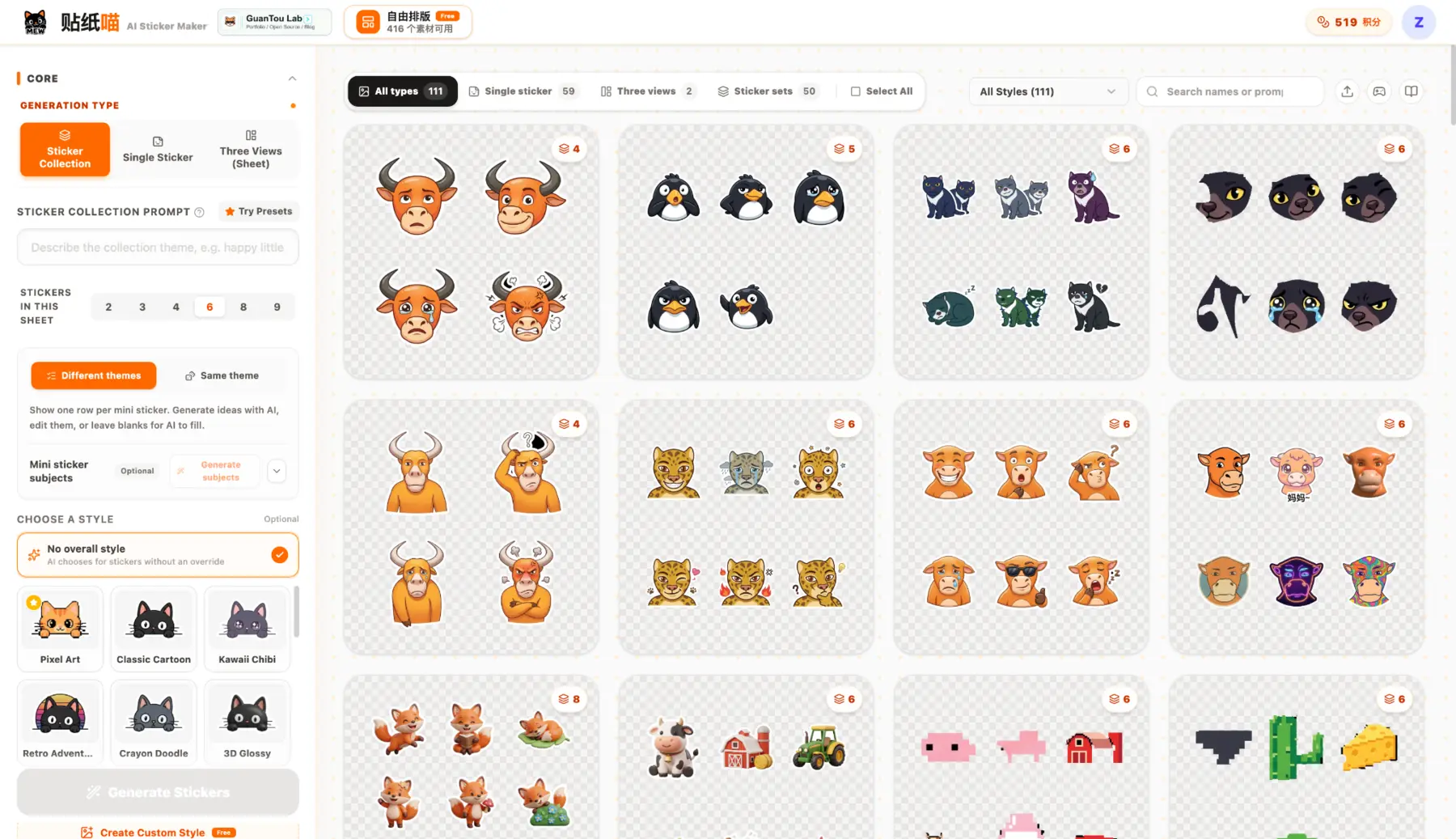
Choose the generation type, sticker count, and visual direction before creating the first version.
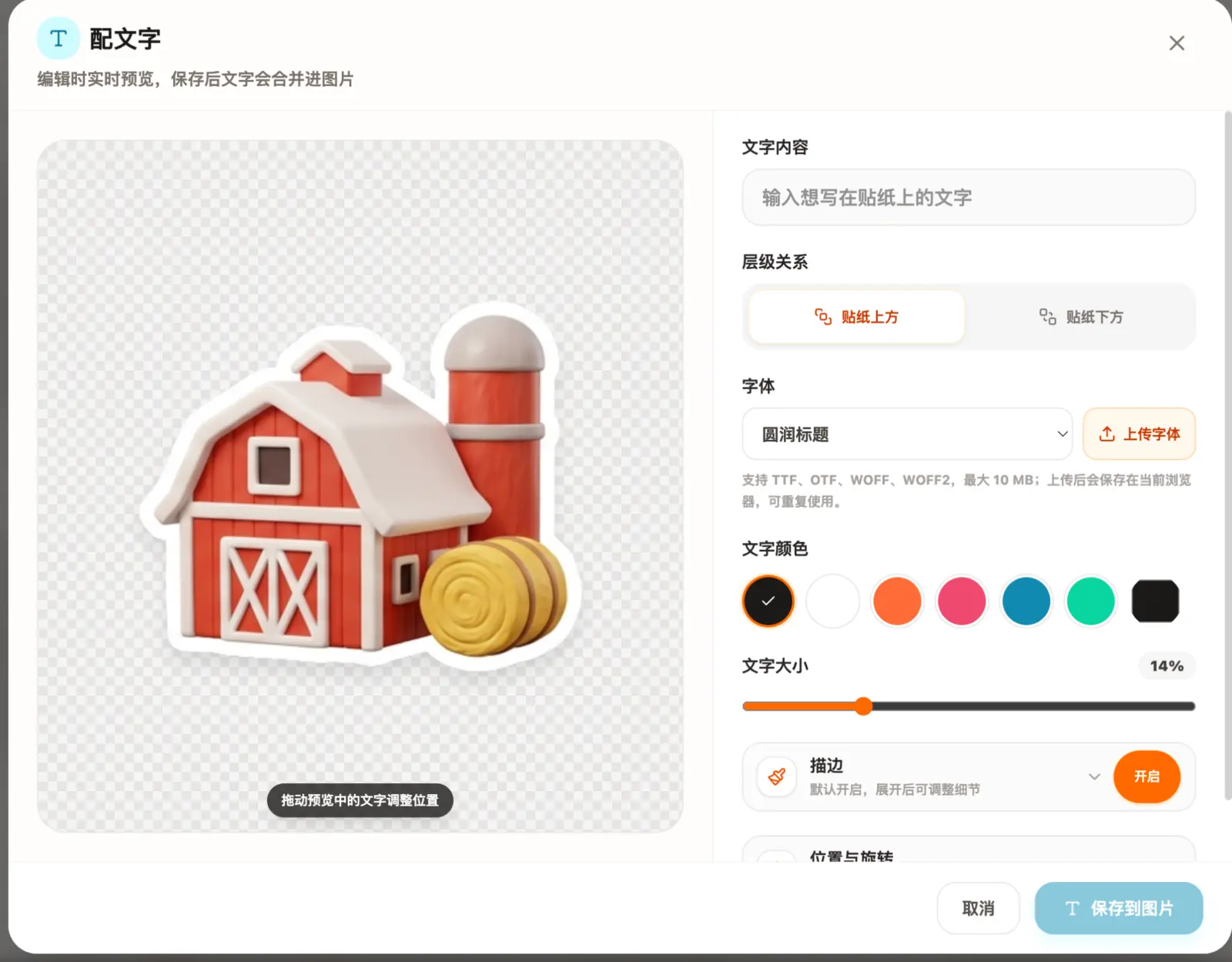
Adjust type, color, outline, size, placement, and custom fonts while viewing the final sticker.
Simple process
How to get a cleaner result
- 01
Upload a clear photo
Choose an image where the main subject is easy to distinguish from the background.
- 02
Choose a sticker direction
Keep the original look or apply a style that suits your pack, from soft cartoon to pixel art.
- 03
Refine and export
Check the cutout, adjust the sticker, then download a transparent PNG or a complete sticker set.
What you get
A practical path from idea to usable files.
- Automatic subject isolation
- Transparent-background export
- Works for portraits, pets, products, and drawings
- Built-in editing before download
Common questions
Before you start
What type of photo works best?
A sharp photo with a clearly visible subject and good contrast usually produces the cleanest sticker edge.
Can I make a sticker with a transparent background?
Yes. The finished sticker can be exported as a transparent PNG for use in chats, layouts, and print projects.
Can I create several stickers from one image?
Yes. When an image contains a sticker collection, MewSticker can split the collection into individual sticker files.
Make the first version